← All apps Meritavi FamilyFamily routines, thoughtfully designed
Small tasks.
Meaningful progress.
Meritavi turns chores into points, and points into the reward your family agrees on: pocket money, screen time, a trip to the park. Parents set the chores and approve them; children see what to do and what they are working towards.
48Ready-made chores
11App languages
0Advertising
2Parent & child modes
Inside the appSee Meritavi at work.
Real screens from the app, shown with a sample family.
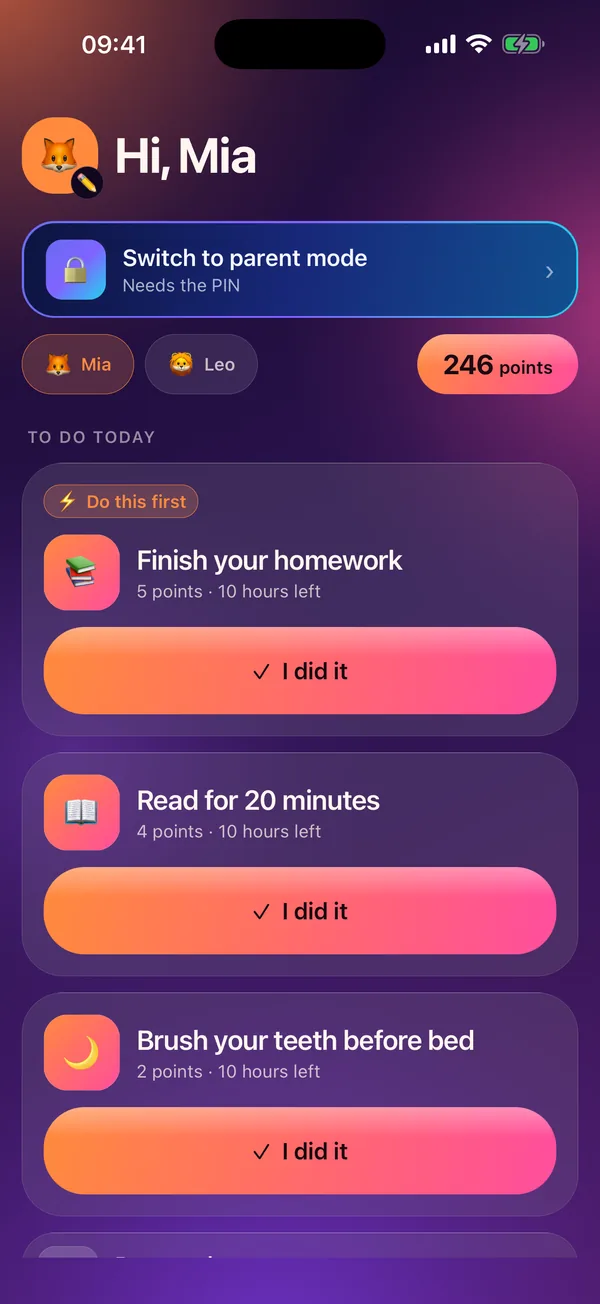
The child’s own screenToday’s chores, what each one is worth and the one to do first.
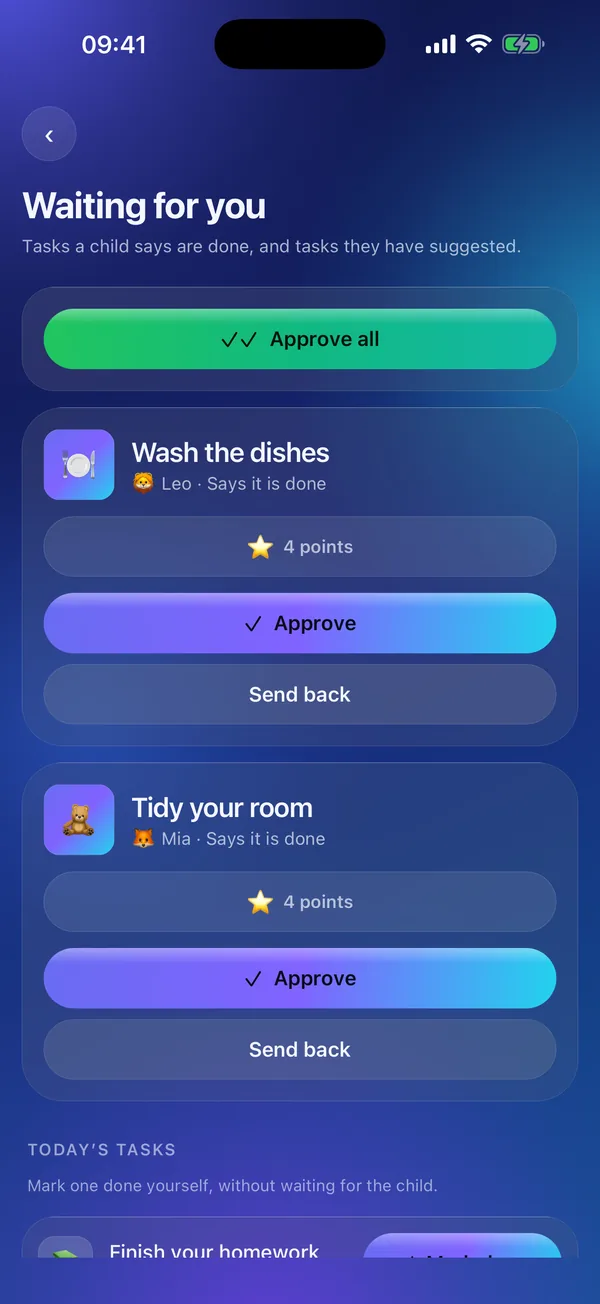
Approve with one tap“I did it” waits for you. Approve it, or send it back with a reason.
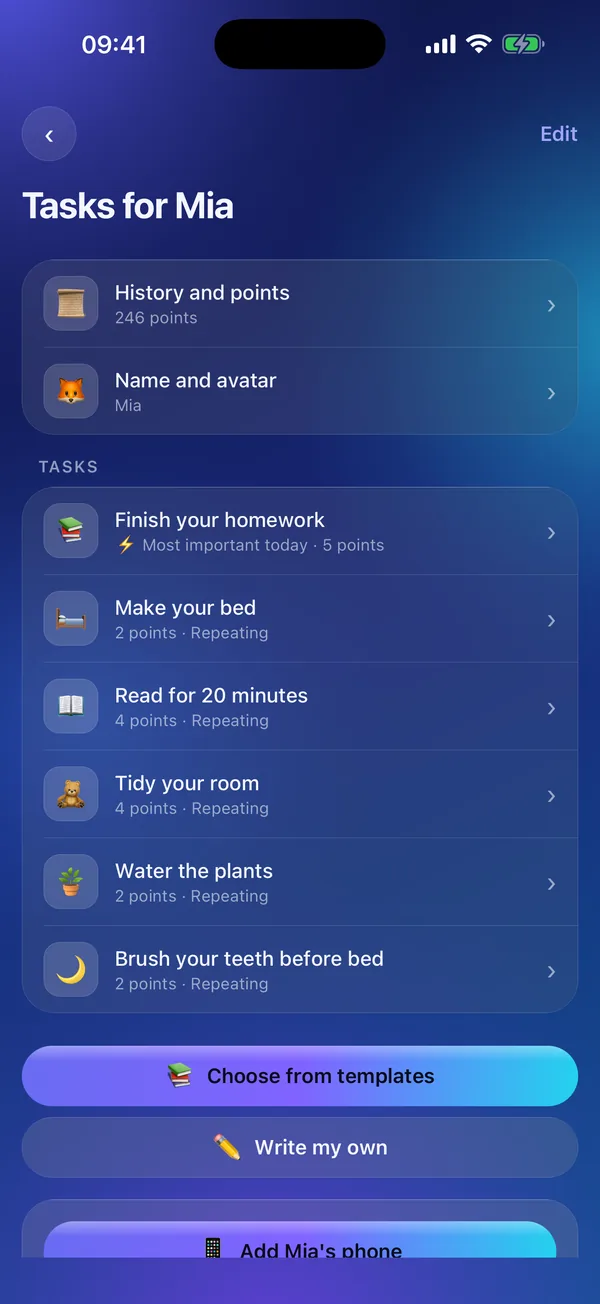
Chores that fit your familyPick from 48 ready-made chores or write your own, with the points and rhythm you choose.
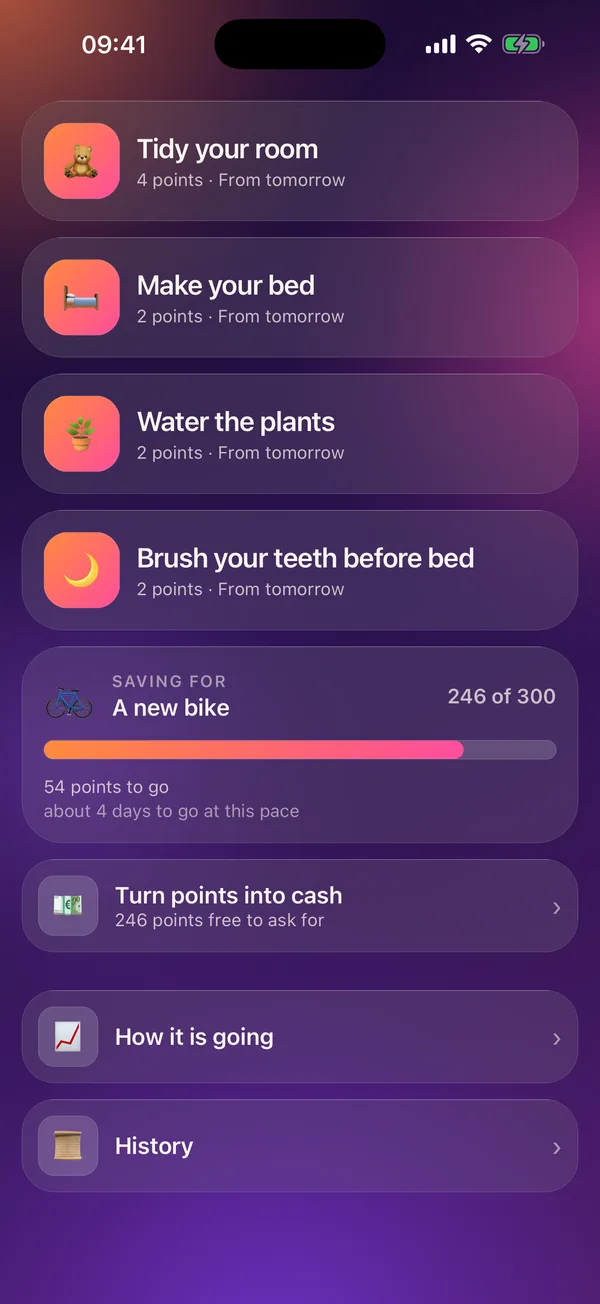
A goal worth saving forThe goal the child chose, how far is left, and pocket money when they ask for it.
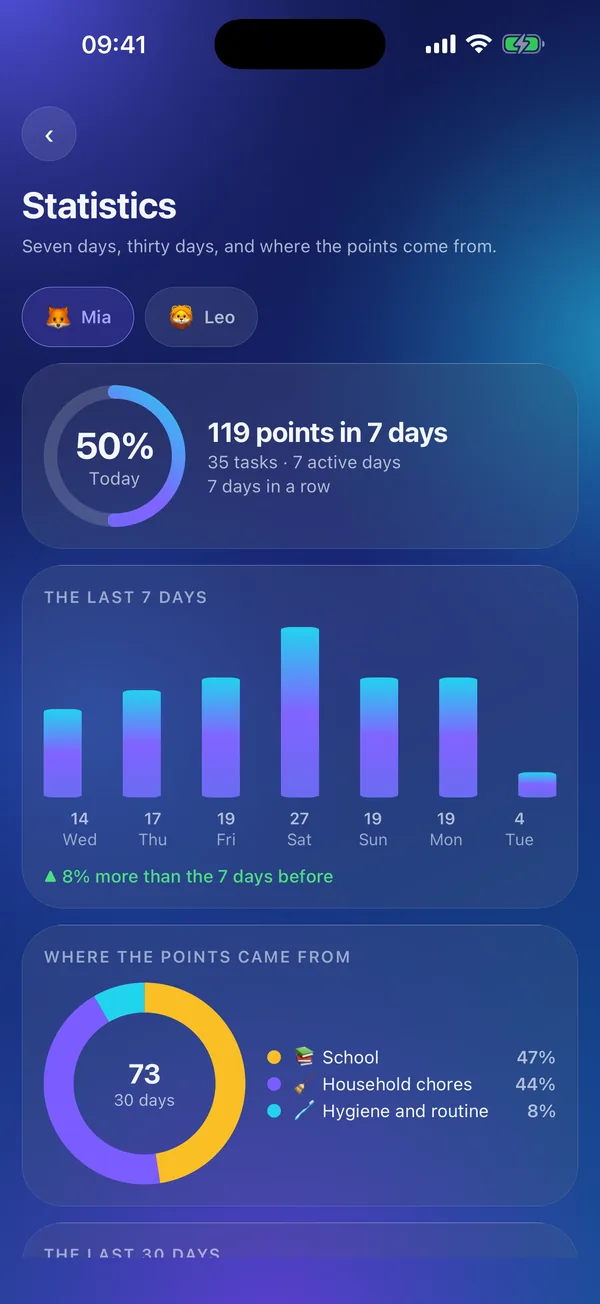
Progress over timePoints earned and chores done, day by day.
Free & PlusFree and Plus
Start with one shared phone. Plus connects the whole family.
FREEMeritavi Free
One shared phone
- One shared phone and one child
- Up to 10 chores at a time and all 48 ready-made ones
- Approvals, a savings goal, pocket-money requests, optional penalties
- Statistics for the last 14 days
- A backup file, protected with your password
PLUSMeritavi Plus
A connected family
- Each child on their own phone
- Up to 5 children and 7 phones
- 50 chores per child, 10 goals, full history
- Priority and important chores, your own rate
- Six designs, eight backgrounds, reminders and summaries
Plus is an optional subscription, monthly or yearly, with a free trial on the yearly plan. It renews until you cancel it in your App Store or Google Play account. If you stop, nothing your family made is lost: the phones simply stop keeping each other up to date. Plus is not yet offered in every country; where it is not, Meritavi Free works in full.
Parent modeWhat parents can do
Everything is in parent mode, behind a PIN, your face or your fingerprint.
01Chores your way
Choose from 48 ready-made chores sorted by age, or write your own. One-time, repeating or standing, with a deadline if you want one and the points you decide.
02Approve with one tap
Approve one by one or all at once, or send a chore back with a reason. Correct a mistake with a new entry; bonuses reward effort beyond the list.
03What matters first
Mark one chore as the priority and any number as important, so your child sees what to do first.
04Points and pocket money
Points are a balance, never a bank. Turn them into pocket money at 10 points to 1 unit of your currency (your own rate on Plus), or keep to points and agreed rewards. You hand the reward over; Meritavi records it.
05Savings goals
Your child chooses a goal and watches the balance grow towards it. Free has one goal; Plus up to ten.
06Fair by design
Penalties are optional and wait 24 hours before they count. A chore done in time is never counted as missed, and a day the app was not opened costs nothing.
07History and statistics
Every point has its reason in the history. Charts show points, chores and streaks: 14 days on Free, a month on Plus.
08Safe and recoverable
A PIN, a recovery code, and a backup file protected by a password you choose.
How it works
How it works
01Agree on the chores
A parent picks a chore, explains what is expected and sets its points.
02Do it, tap “I did it”
The child does the chore and taps the button. It waits for a parent.
03Review and approve
Approve the effort, or send it back with a reason. Only parents give points.
04Points become a reward
Points add up to a balance and a goal. The reward is handed over by you.
Child modeWhat children see
A calm child mode with no PIN to guess and nothing to buy.
◇Child mode
- Today’s list. The chores for today, what each is worth and the one to do first.
- “I did it”. One tap tells the parent. The points arrive once it is approved.
- A balance and a goal. A balance that grows, and a goal they chose themselves.
- Ask for pocket money. When they are ready, they ask to turn points into pocket money. A parent hands it over.
- Their own look. Their colour, an animal or their own photo (a parent can turn photos off) and, with Plus, their own design, page and icons.
✦Plus
Plus connects the family’s phones. Each child can have Meritavi on their own phone.
- A phone each. Up to 5 children and 7 phones, 2 of them for parents. A child sees only their own chores.
- Always up to date. “I did it” reaches your phone within moments, usually even with the app closed, and your approval reaches theirs.
- Sealed, even from us. Everything is encrypted on the phone before it leaves, with keys only your family’s phones hold. Our server stores it and cannot read it.
- More room. 50 chores per child, 10 savings goals, the full balance history, 30 days of statistics, priority and important chores, and your own rate of points to money.
- Reminders. Deadline reminders, and evening and weekly summaries.
◐Make it theirs
Six designs, eight backgrounds in dark and light, five colours, five icon sets and four typefaces. Each person picks their own look, and a child’s own phone has every option.
◇
Privacy by designPrivate by design
No account. No ads. No analytics, no tracking.
On Free, everything stays on one phone and the app makes no network call. With Plus, every change is encrypted on the phone before it leaves.
Read the privacy policy ↗
◎In your family’s language
English, Română, Русский, Deutsch, Français, Español, Italiano, Português, Polski, Türkçe and Bahasa Indonesia.
Good to know
Good to know
Does Meritavi pay my child?+
No. The app records points and the rate your family agrees on. Any pocket money is handed over by the parent, outside the app.
Can a child give themselves points?+
No. A child can say a chore is done; only a parent can approve it and give the points.
Do we have to use money or penalties?+
No. Both are optional. You can use points, goals and encouragement only.
Which devices does it run on?+
iPhone and iPad, and Android phones and tablets, in 11 languages.
What if we stop Plus?+
Nothing is lost. The phones simply stop keeping each other up to date, and everything stays on each phone.
Where can I get help or read about my data?+
Use the dedicated support, privacy, terms and data-deletion pages below. You can also write to hello@midax.studio.
Helpful information
All the details, in one place.